How to Make AI Kiss or Hug Videos: A Step-by-Step Guide

PicYou
Feb 24, 2026
Have you seen those heartwarming (and sometimes hilarious) videos on TikTok and Instagram where two people in a still photo suddenly start hugging or kissing? That’s the power of AI image-to-video technology.
Whether you want to create a romantic surprise, a "what if" moment with your crush, or a nostalgic hug with a loved one, AI tools like Picyou.ai have made it easier than ever. In this guide, we’ll show you exactly how to transform your still photos into realistic animations.
AI kiss your crush video effect from static photo
What is the "AI Kiss Your Crush" Trend?
The trend started with users uploading photos of themselves and their favorite creators, or long-distance partners, into AI video generators. By using advanced motion synthesis, the AI predicts how two people would move to embrace or kiss, creating a realistic and often viral-worthy video clip.
Key Tools You Need:
For high-quality image preparation and AI processing.
AI Video Models: Underlying engines like Kling AI or that power realistic human movement.
How to Create an AI Kissing or Hugging Video (3 Easy Steps)
Step 1: Choose the Perfect Base Image
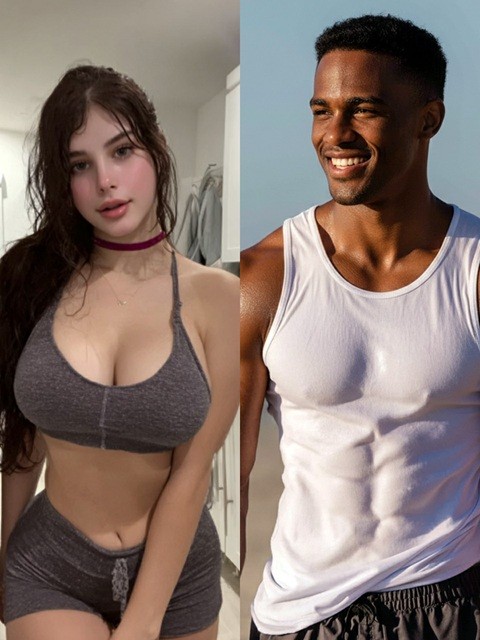
For the best results with an AI hug generator, use a photo where:
Both people are facing the camera or each other.
The background is relatively clean.
There is clear space between the two subjects for the AI to animate the movement.
Pro Tip: If your photo is blurry, use our AI HD Enhancer first to sharpen the faces. High-resolution inputs lead to much smoother video outputs.
Step 2: Use an AI Image-to-Video Tool
Upload your photo to a platform that supports high-end AI model integration.
Navigate to the AI Kiss Template.
Upload your selected photo.
In the prompt box, type specific keywords like: "Two people in the photo leaning in for a romantic kiss, realistic movement, 4k, cinematic lighting."
Step 3: Refine and Download
If the first result looks a bit "uncanny," don't worry! AI generation often requires 2-3 tries. Adjust your prompt to include phrases like "natural movement" or "slow motion" to get that perfect effect.
Top AI Kiss & Hug Generators in 2026
When choosing an AI tool to bring your photos to life, consider ease of use, output quality, and specific features. Here are some of the leading platforms:
Tool | Best For | Ease of Use |
PicYou AI | All-in-one editing & AI generation | ⭐⭐⭐⭐⭐ |
Kling AI | Realistic human physics | ⭐⭐⭐⭐ |
Luma Dream Machine | High-speed rendering | ⭐⭐⭐⭐ |
Picyou.ai stands out by offering a comprehensive suite of tools, from image enhancement to advanced AI video generation, making it an excellent choice for both beginners and experienced users.
Why is My AI Video Looking Weird? (Troubleshooting)
If your AI hug looks more like a wrestling match, check these common issues:
Too much clutter: If there are objects between the two people, the AI gets confused.
Low Resolution: Always use an AI HD Enhancer to fix facial details before generating the video.
Vague Prompts: Instead of just "kiss," try "gentle forehead kiss" or "warm hug."
Realistic AI generated hug animation from photo
Conclusion: Ready to Go Viral?
The AI kiss trend is a fun way to explore the capabilities of modern generative AI. With tools like Picyou.ai, you don't need to be a professional editor to create movie-quality animations from a simple smartphone pic.
Try it yourself today! Head over to our and turn your favorite memories into motion.
People Also Read
How to Use Kling 3.0 for Product Video Creation (Step-by-Step Guide)
generate cinematic product videos in minutes with Kling 3.0 on PicYou AI free now
Learn More

Bring Your Photos to Life: Use PicYou AI’s Hug&Kiss Video Templates
How to Use PicYou AI’s Kiss&Hug Video Templates for Viral AI Hugs
Learn More

AI Dance Party: Bring the Dance Floor to Your Solo Photos
AI Dance Party - Turn Your Photo into the Life of the Party with Viral AI Moves
Learn More