Best Text-to-Image AI Generators from Text in 2025

PicYou
Dec 8, 2025
When choosing a text-to-image AI generator in 2025, several key criteria matter:
Quality of image output & fidelity to the prompt — The tool should reliably convert text prompts into visually coherent, detailed, and appealing images.
Flexibility of styles and output types — Support for photo-realistic renders, illustrations, concept art, stylized images, or mixed styles increases its usefulness.
Ease of use and accessibility — A browser-based or simple UI is preferred, especially for non-technical users.
Licensing, commercial use, and usage limits — If you plan to use images publicly or commercially, make sure the tool’s license permits it.
Cost model or free/freemium tier — A generous free tier or affordable subscription helps creatives, small businesses, and hobbyists test and experiment.
With those criteria, we review some of 2025’s top text-to-image AI generators — and how they compare.
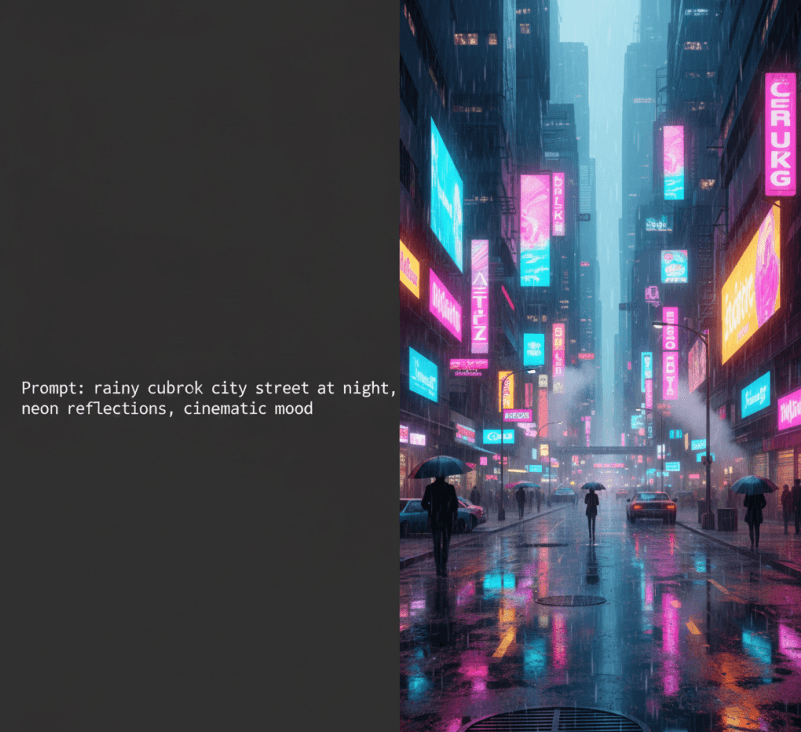
Leading Text-to-Image AI Generators in 2025
PicYou AI — A Versatile & Accessible Option
PicYou AI offers a user-friendly interface that aims to make it easy to turn text into images without needing technical setup or powerful hardware. It’s suitable for creators, marketers, or small businesses who want to generate visuals quickly and easily.
Because it’s designed for convenience and flexibility, PicYou AI works well for producing marketing graphics, social media visuals, concept artwork, and other common use cases when you don’t need complex custom pipelines.
Midjourney
Midjourney remains a go-to for stylized visuals, concept art, illustration, and any imagery where creative style, mood, and artistry matter. It’s popular among digital artists and people seeking expressive, high-quality graphics. Several 2025 rankings still list it among the top image generators for quality and creative flexibility.
Stable Diffusion
For users who want maximum control and customization — including self-hosting, custom tweaks, scripting or automation — Stable Diffusion continues to be a foundational open-source option. It supports many variants, and with user interfaces like web-UI or community tools, remains popular for advanced users.
Adobe Firefly
For creators or professionals embedded in a design or creative-suite workflow, Adobe Firefly offers text-to-image capabilities with attention to licensing and brand-safe output. It is often recommended for design work, marketing assets, or commercial graphics where reuse rights matter.
Other Popular Tools & Models
Beyond the mainstream options, 2025 sees a broad ecosystem of models and tools — some optimized for speed, stylization, or experimentation. Tools that combine ease-of-use with flexible model back-ends are especially useful for creatives who want to test ideas, iterate, or mix styles.

How to Choose the Right Generator — Based on Your Use Case
Use Case / Purpose | What to Prioritize | Recommended Option(s) |
|---|---|---|
Quick social-media posts, blog images, marketing visuals | Ease of use, speed, simplicity | PicYou AI, Adobe Firefly |
Stylized art, concept art, creative illustrations, fantasy visuals | Artistic flexibility, style control | Midjourney, Stable Diffusion (custom), Ideogram 3.0 |
Custom pipeline, local control, self-hosting, privacy or automation | Open-source, flexibility, no vendor lock-in | Stable Diffusion (self-hosted), community models |
Commercial-grade graphics, print, brand-safe images | Licensing clarity, high-fidelity output | Adobe Firefly, licensed tools |
Experimentation, mixed content types (illustration + graphics) | Versatility, affordability | PicYou AI, open-source variants, hybrid tools |
Why 2025 Is a Great Time to Use Text-to-Image AI
The quality of text-to-image models has improved significantly — many tools now produce outputs that are close to “design-ready” for blogs, thumbnails, or social media.
The ecosystem is rich — open-source models, commercial SaaS, hybrid tools — giving users flexibility whether they want ease, control, or creativity.
For small teams, freelancers, creators, and marketers — the barrier to entry is lower than ever: no expensive equipment, no specialized software, just text prompts and a browser.
Tips for Getting the Best Results with Text-to-Image Tools
Write clear, detailed prompts — specify subject, style, mood, lighting, and composition. Vague prompts lead to unpredictable results.
Use prompt-to-image tools + editing features — generate a base image, then refine or edit using built-in or external tools for polish.
Test across multiple tools — the same prompt may yield different results across generators; comparing helps you choose the best output.
Check licensing if using commercially — ensure output rights are allowed under the tool’s terms, especially for commercial or public use.
Match tool to use case — don’t expect the same generator to excel at both stylized art and photorealistic renders; pick based on your needs.
Conclusion
“Best” depends on what you need. In 2025’s diverse and mature AI-image generation landscape:
If you value ease, convenience, and quick output, PicYou AI offers a solid balance.
If you want artistic control and stylized visuals, Midjourney or Stable Diffusion (or custom open-source variants) are top choices.
For professional, commercial, brand-safe images, Adobe Firefly and similar licensed tools stand out.
For experimentation, open-source flexibility, and customization, open-source models remain indispensable.
People Also Read

Best Text-to-Image AI Generators from Text in 2025
When choosing a text-to-image AI generator in 2025, several key criteria matter
Learn More

Best Text-to-Image AI Generators 2025
In 2025, with many AI image generation tools available, what separates the best from the rest?
Learn More

Best AI Image Generator Free in 2025
In 2025, there are many AI image generators claiming to be “free.” But “free” alone is not enough
Learn More